




I do love the Vectrex. This is a common symptom they have. It can have many different causes but this one was one of the more unusual.
When the Vectrex isn’t receiving an output from the logic board, you end up with a white dot. It’s important to turn it off if this happens to yours, or at least turn the brightness all the way down using the knob on the back.
The white dot will quickly burn a permanent hole into the phosphor coating inside the CRT tube. If this happens it will appear as a black dot in the centre-ish of the screen and it’s there to stay, unfortunately.
Apart from an actual fault on the logic board, this can also be caused by the power switch. It may sound odd and you may be thinking that it went click and it’s buzzing so the switch must be ok. That’s not really the case though. The power switch on the Vectrex is both a switch for the incoming AC from the transformer to the power board and a volume control. It is constructed with one behind the other and soldered to the bottom of the logic board.
Inside the back half of the power switch is the actual power switch itself. It has springs and plastic parts that move two contacts to open or close. Back in the 1980s this was all nicely lubricated with the best of 80’s grease. Unfortunately 40-something (we’ll gloss over that) years later the best of 80’s grease has become a bit sticky. Although the spring mechanism still makes a reassuring click, the contacts it operates can become gummed up and not actually close very well. It can cause some odd symptoms when that happens and white dot is one of them.
This Vectrex had one contact that was closing properly and one which was definitely not.
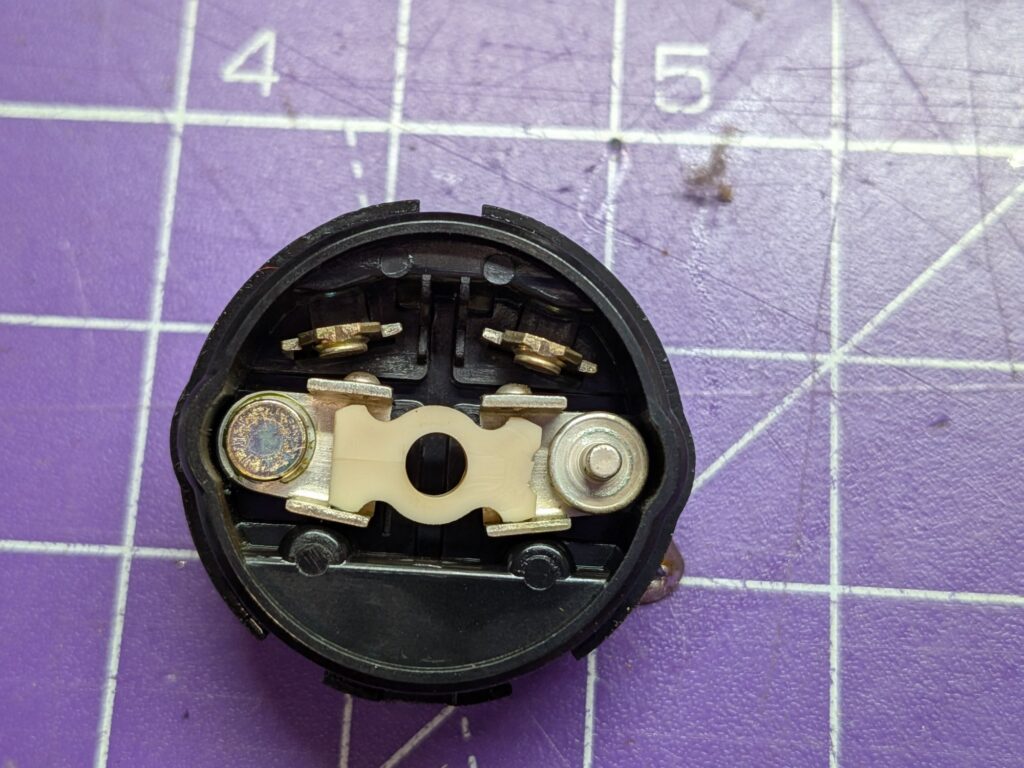
Removed the logic board and desoldered the switch from the board to work on. It seemed like it had been disconnected before, although not removed from the board. With the back removed, which is what you can see in the pic it can be fixed-back-to-life again. Cleaned it all up, applied some of the best of 20’s lubrication, resembled and tested before soldering it back onto the bottom of the logic board.
It’s quite a fiddly process and everything has to be lined up just right or it won’t all go back together.
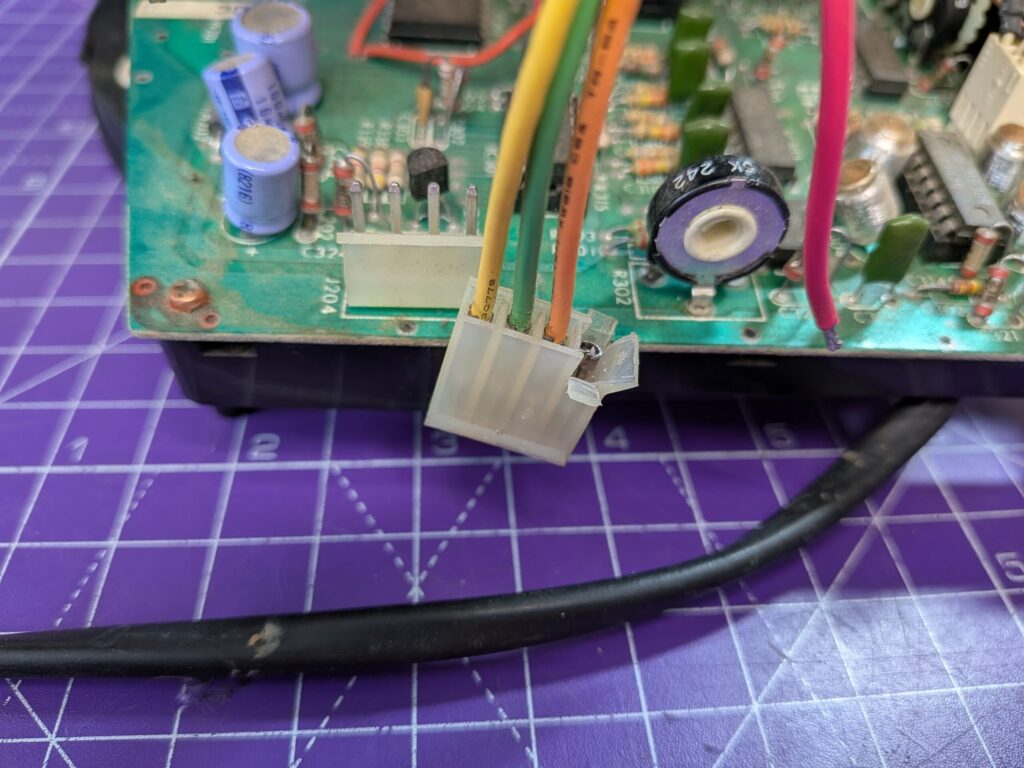
When putting the logic board back in and connecting everything up another fault became apparent, which itself would have caused a white dot. One of the wires carrying DC voltages from the power board to the logic board was broken off in the plug (main pic).
I wasn’t able to get the pin to come out of the plug without causing more damage, so made some slices down into the top of the plastic, so the end of the pin was exposed and soldered the wire back onto it. A bit of tape around the top and it’s as good as new.
Thorough play-testing was then carried out 😁